
Supreme NiuNiu Login Guide: H5 Official Website and Device Binding Explanation
Supreme NiuNiu login uses an account and device binding mechanism. After users complete Supreme NiuNiu Supreme NiuNiu account registration and device binding on a device, that device becomes the account's current device. This guide explains the login method, device status, changing or unbinding devices, and related security matters based on the platform's actual pages.
Supreme NiuNiu Login Steps
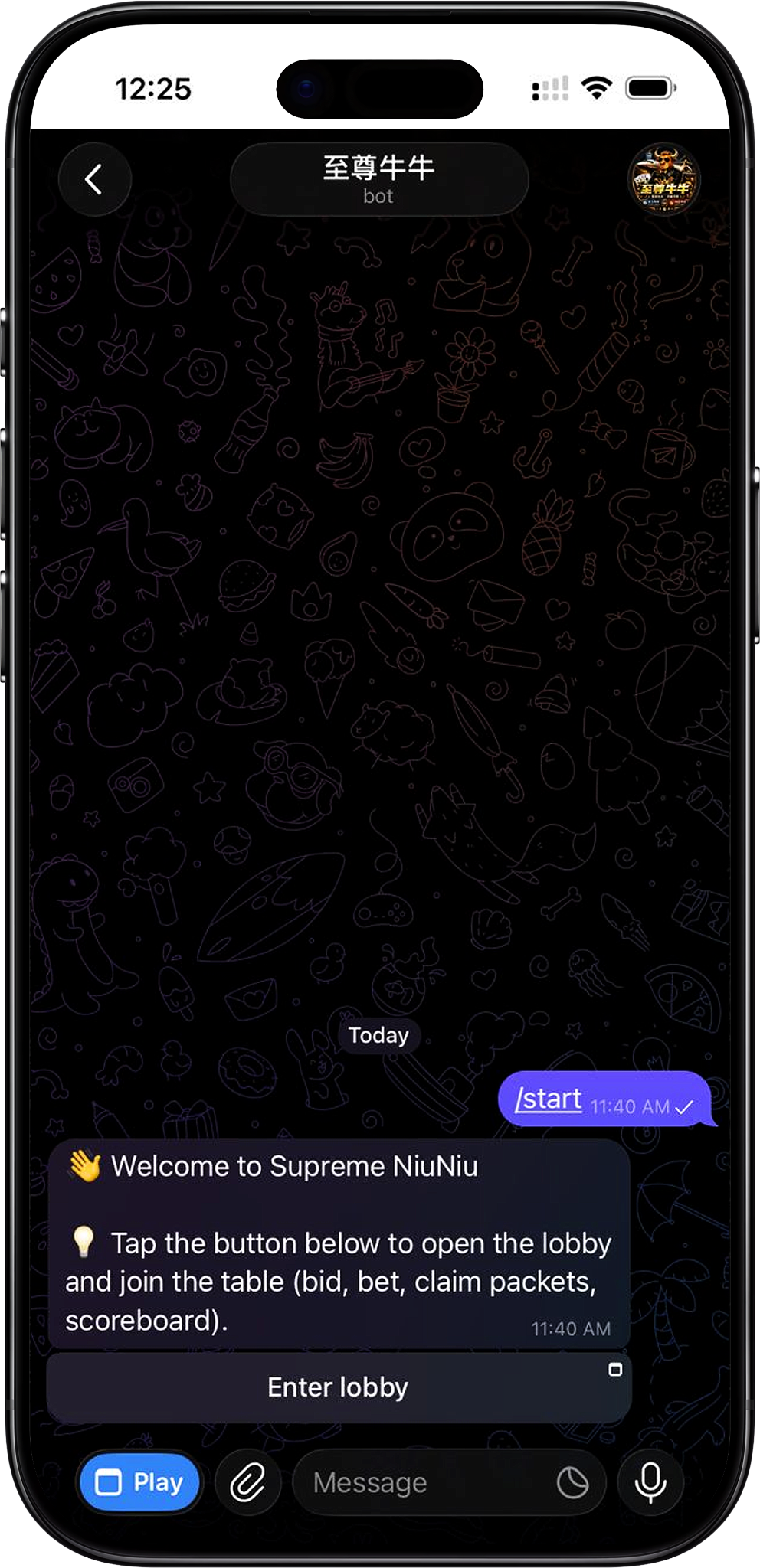
After completing Supreme NiuNiu registration and binding a device, the account establishes a binding relationship with the current device. On subsequent visits, you should use the device that has already been bound to enter the corresponding Supreme NiuNiu H5 page and check whether the device status is normal.
Step 1: Use the bound device
First use the device that has already been bound when registering the Supreme NiuNiu account. According to the device management page, one account can only bind one device at a time, so you should prioritize using the currently bound device for account access.
Step 2: Enter Supreme NiuNiu H5
On the bound device, enter the platform through the corresponding entry provided on the Supreme NiuNiu official website. After entering, confirm that the page and account status are normal, and do not provide Telegram login or local device unlock information to others.
Step 3: Confirm the current device status
After logging in, you can enter the device management page to view the current device. Under normal binding, the page will display "Current device securely bound" and mark the device in use as the "Current Device."
Step 4: Handle device binding first when changing devices
If you later need to change phones or devices, you should not directly ignore the existing binding relationship. The device management page provides a "Change or Unbind Device" entry, and you can continue handling the device identity change according to the page prompts.
Supreme NiuNiu Account and Device Binding Mechanism
The Supreme NiuNiu account uses a "one account, one device" binding rule. The device management page states that one account can only bind one device at a time, which is used to reduce the risk of account theft and off-site operations. Therefore, the device used after registration is not only for accessing the account but is also part of the account's device security mechanism.
The device will be bound to the account after registration
After users register a Supreme NiuNiu Supreme NiuNiu account on a device and complete device binding, that device becomes the account's current device. The device management page will display the corresponding device information and binding status.
One account binds one device at a time
According to the binding rule displayed on the current device management page, one account can only bind one device at a time. If you need to switch to another device, you should first handle it according to the change or unbind process provided by the platform.
View the Currently Logged-In Device
The Supreme NiuNiu device management page is used to confirm the device currently bound to the account. Users can check the current device status, device identifier, binding time, and binding rules here to determine whether the device in use matches the account records.
View the current device status
When the current device is normally bound, the page will display "Current device securely bound," and a "Current Device" label will also appear next to the device information. This helps users confirm that the device in use belongs to the account's currently bound device.
Verify device information
The device management page currently can display information such as device type, partial device identifier, and binding time. Users can verify this after logging in; if the device information is found to be inconsistent with their actual usage, they should stop further operations and contact platform customer service for confirmation.
Change or Unbind the Login Device
When users need to change phones, lose a device, or encounter other device abnormalities, they can handle it through the "Change or Unbind Device" entry on the device management page. Since Supreme NiuNiu uses a one-account-one-device mechanism, when changing devices, identity confirmation and re-binding should be completed according to the process provided on the platform page.
Enter the rebinding entry from device management
Find "Change or Unbind Device" on the current device management page and continue handling it according to the page prompts. Do not submit account or device information through third-party pages from unknown sources.
The old device will become invalid after rebinding
According to device security recommendations, after device unbinding or identity confirmation is completed, the old session will become invalid and rebinding will be required. Therefore, before changing devices, confirm that this is your own operation.
Contact platform customer service if rebinding cannot be completed
If you cannot normally complete device handling after changing phones, losing a device, or discovering abnormal operations, the device security recommendations indicate that you should promptly contact platform customer service and not repeatedly try login or unbinding methods from unknown sources.
Supreme NiuNiu Login Security Notes
Login security depends not only on the account access entry but also on device binding and the safekeeping of personal login information. When using Supreme NiuNiu H5 or related entries, you should verify the device status and properly keep information related to login and devices.
Do not provide Telegram login or local device unlock information
The Supreme NiuNiu device security recommendations clearly remind users not to provide Telegram login or local device unlock information to others. Important information involving account access should be kept by the user personally.
Handle device abnormalities promptly
When changing phones, losing a device, or discovering abnormal operations, you should promptly check the current device binding status and contact platform customer service for handling, avoiding continuing to operate the account in a device environment whose security cannot be confirmed.
Access through the corresponding official website entry
When you need to log in to Supreme NiuNiu, you should enter through the corresponding entry provided on the official website and verify the page information. For login pages, QR codes, or links from unknown sources, you should not directly submit account-related information.
Supreme NiuNiu Login FAQ
Why is a device bound after logging in to Supreme NiuNiu?
According to the platform device management page, Supreme NiuNiu implements a one-account-one-device binding rule to reduce the risk of account theft and off-site operations. After registration and binding are completed, that device becomes the account's currently bound device.
Can one Supreme NiuNiu account bind multiple devices at the same time?
No. The current device management page clearly states that one account can only bind one device at a time. When you need to use another device, you should handle it according to the platform's change or unbind device process.
How do I know whether the device I am using is the bound device?
You can enter the device management page to check. Under normal circumstances, the page will display "Current device securely bound" and show the "Current Device" status next to the corresponding device information.
How do I log in to Supreme NiuNiu after changing phones?
If you need to change phones, you should handle the device change through the "Change or Unbind Device" entry provided on the device management page. After completing the corresponding identity confirmation and re-binding, use the new bound device to access the account.
What should I do after losing my phone?
The device security recommendations indicate that you should promptly contact customer service when changing phones, losing a device, or discovering abnormal operations. Since the account and device have a binding relationship, you should handle the device security issue first before continuing account access.
Does Supreme NiuNiu H5 require registering a separate account?
The current materials show that the Supreme NiuNiu account is bound to a device after registration. This page mainly explains the login and device access methods for existing accounts and does not show that H5 requires creating a separate independent account, so you should not repeatedly register new accounts not required by the platform.
Log In to Your Supreme NiuNiu Account
Use a device that has already completed account binding to enter Supreme NiuNiu. After logging in, you can check the current device status; if you need to change devices, please first complete the rebinding or unbinding operation according to the prompts on the device management page.