
Supreme NiuNiu Download Guide: Android, iOS, and Computer Usage Steps
Supreme NiuNiu download currently uses the Telegram operating method, and the Supreme NiuNiu App can be accessed through the Telegram official entry provided on the official website. Users do not need to look for APKs or other installation files from unknown sources on their own; they only need to enter Telegram from the current page and run the Supreme NiuNiu application through the official channel's "Enter Game Hall." The following explains the usage steps for Android, Apple iOS, Windows, and macOS separately.
Supreme NiuNiu Download and Telegram App Operating Method
Supreme NiuNiu currently operates through Telegram. After users enter from the official website's download entry, they will first arrive at the Supreme NiuNiu Telegram official page. Clicking "OPEN APP" will open Telegram. After entering the official channel, run the Supreme NiuNiu App through "Enter Game Hall."
The official website is the starting point of the download process
It is recommended to start from the current Download page on the Supreme NiuNiu official website, and then use the download-related buttons provided on the page to enter the corresponding Telegram page. This can reduce confusion caused by searching for Telegram channels, APKs, or other download entries from unknown sources on your own.
Run the Supreme NiuNiu App within Telegram
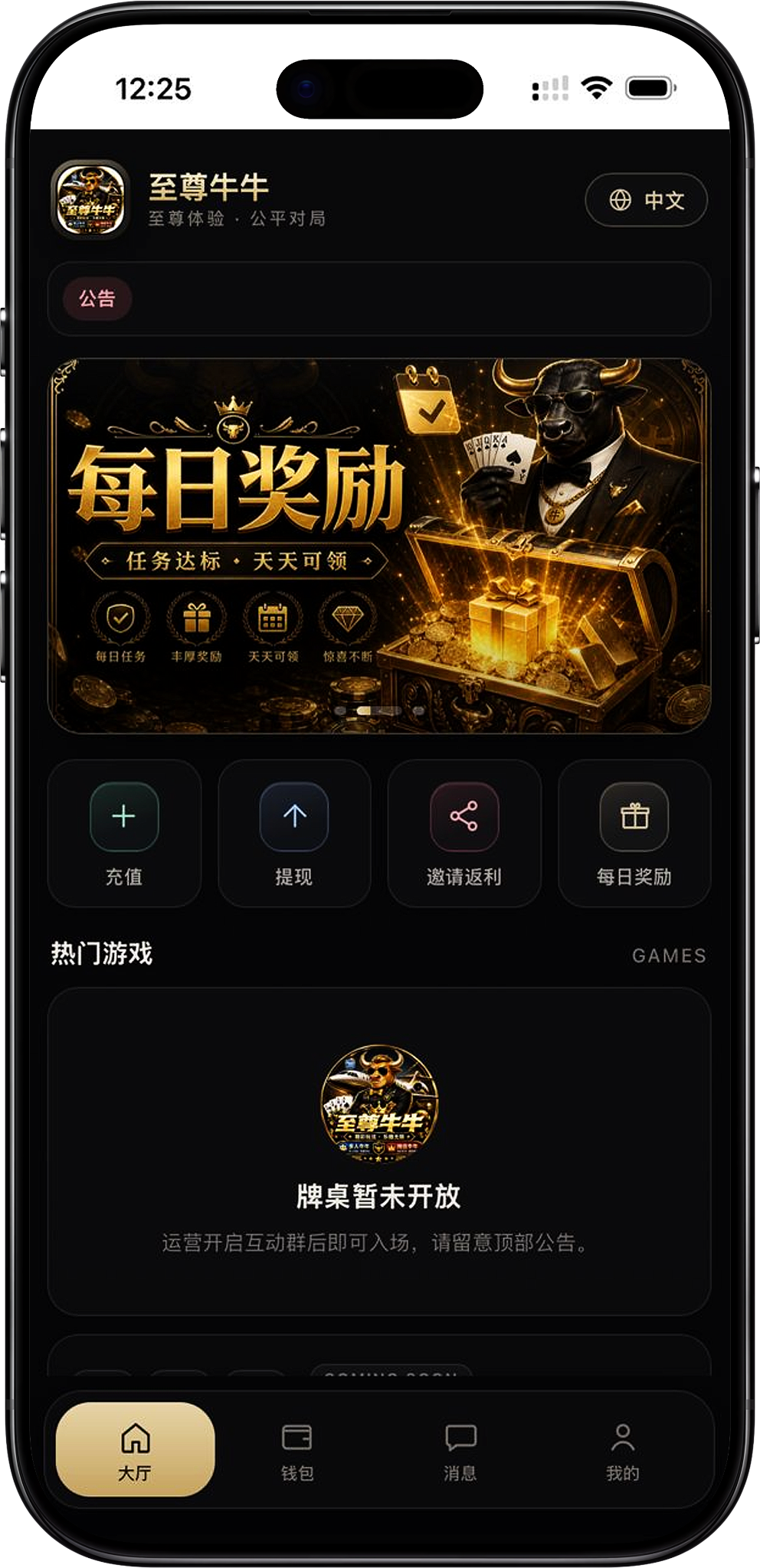
The Telegram page will display information related to "Supreme NiuNiu" and the "Supreme NiuNiu Official Mini Program." After opening Telegram, enter the platform through the "Enter Game Hall" provided by the official channel, and you will see the Supreme NiuNiu Hall and related platform functions.
Android Supreme NiuNiu Download Steps
Android users currently do not need to look for a separate Supreme NiuNiu APK installation package. According to the existing platform process, the Supreme NiuNiu App can be opened through Telegram on an Android device.
Step 1: Select the download entry from the official website
Use an Android phone to open the Supreme NiuNiu official website Download page, and click the download-related button on the page to enter the Supreme NiuNiu Telegram official page.
Step 2: Click OPEN APP
After the Telegram page displays the Supreme NiuNiu official mini program information, click "OPEN APP." If Telegram is already installed on the device, this action will open the Telegram App and enter the corresponding Supreme NiuNiu official entry.
Step 3: Enter the Supreme NiuNiu official channel
After Telegram opens, confirm that you have entered the Supreme NiuNiu Supreme NiuNiu official channel opened through the official website entry, and then continue to the next step.
Step 4: Click "Enter Game Hall"
In the chat input area of the Supreme NiuNiu official channel, find and click "Enter Game Hall" to run the Supreme NiuNiu App. After successfully entering, the Supreme NiuNiu Hall page will be displayed.
Step 5: Start using from the Hall
After the App runs, the page will enter the Supreme NiuNiu Hall. According to the current interface, users can continue to access the functions actually provided by the platform at that time from the Hall.
iOS Supreme NiuNiu Download Steps
Apple iPhone or other iOS devices also use Telegram as the current entry point for running the Supreme NiuNiu App. The existing materials do not provide an independent iOS installation package, so it should not be described as requiring a separate Supreme NiuNiu iOS App installation.
Step 1: Open the official website Download page on iOS
Use an Apple iOS device to enter the Download page on the Supreme NiuNiu official website, and click the download-related button on the page to go to the Supreme NiuNiu Telegram official entry.
Step 2: Open Telegram through OPEN APP
After arriving at the Telegram page, check the Supreme NiuNiu information displayed on the page, and then click "OPEN APP" to enter Telegram. The device needs to be able to use Telegram normally to continue the current process.
Step 3: Enter the Telegram official channel
After Telegram opens, enter the Supreme NiuNiu official channel through the official website guidance. Do not search for so-called Apple or iOS installation files on your own through unknown links.
Step 4: Select "Enter Game Hall"
Click "Enter Game Hall" in the Supreme NiuNiu official channel, and Telegram will run the Supreme NiuNiu App and enter the corresponding platform interface.
Step 5: Confirm entry into the Supreme NiuNiu Hall
After successfully running, the Supreme NiuNiu Hall page will be displayed. After confirming that the page displays normally, you can continue operating according to the functions currently provided by the platform.
Desktop Windows and macOS Download Steps
The current Supreme NiuNiu materials do not provide an independent Windows or macOS installer. Computer users should base their actions on the actual access methods available for Telegram, and should not download and install desktop software not confirmed by platform materials from third-party websites.
Step 1: Enter the Supreme NiuNiu official website from a computer
On a Windows or macOS device, open the Download page on the Supreme NiuNiu official website, and go to the Supreme NiuNiu Telegram page from the download entry provided on the official website.
Step 2: Open the Telegram entry
On the Telegram page, confirm the Supreme NiuNiu official mini program information, and continue according to the "OPEN APP" entry provided on the page. The actual way it opens depends on the current Telegram usage environment on the computer.
Step 3: Enter the Supreme NiuNiu official channel
After entering Telegram, continue operating through the Supreme NiuNiu official channel guided by the official website, and avoid using so-called Windows or macOS installers or unknown download files provided by third parties.
Step 4: Select "Enter Game Hall"
If the current Telegram environment displays the Supreme NiuNiu official channel and the "Enter Game Hall" entry, you can click that entry to run the Supreme NiuNiu App. The actual display and compatibility shall be subject to the current Telegram and platform pages.
Supreme NiuNiu App Usage Notes
The key point of Supreme NiuNiu download is to run the application through the correct entry, rather than looking for additional installation packages. Since the current Supreme NiuNiu App runs on Telegram, users should prioritize verifying the official website entry, Telegram page, and channel information.
The currently provided platform materials do not show that an independent Supreme NiuNiu APK needs to be installed. Android users can run the App according to the process from the official website to Telegram, so downloading so-called Supreme NiuNiu APK files from third-party websites is not recommended.
Apple users do not need to look for unknown iOS installation packages
The current process likewise does not provide an independent Apple iOS installation file. iPhone users should enter Telegram through the official website and run Supreme NiuNiu according to the entry in the official channel, rather than installing files whose source cannot be confirmed.
Enter Telegram from the official website entry
Whether using Android, iOS, or a computer device that supports the corresponding Telegram access method, you should first enter from the Supreme NiuNiu official website Download page, and then continue operating according to the steps displayed on the Telegram page.
Supreme NiuNiu Download FAQ
Where can I download the Supreme NiuNiu App?
Supreme NiuNiu Supreme NiuNiu currently operates through Telegram. Users can enter the Supreme NiuNiu Telegram official entry from the official website Download page, click "OPEN APP," and then select "Enter Game Hall" from the official channel to run the App.
Do Android users need to download a Supreme NiuNiu APK?
According to the platform materials currently provided, there is no need to look for a separate Supreme NiuNiu APK. Android users can enter Telegram through the official website and then run the App from the Supreme NiuNiu official channel.
Does Supreme NiuNiu have an Apple iOS App?
The current materials show that the Supreme NiuNiu App runs through Telegram, and no independent Apple iOS installation package is provided. iOS users can access Supreme NiuNiu according to the process from the official website to Telegram.
Are there independent installers for Windows and macOS?
The platform materials currently provided do not show an independent Windows or macOS installer. Computer users should operate through the Telegram entry provided on the official website, based on the access environment currently supported by Telegram.
How do I enter Supreme NiuNiu after clicking OPEN APP?
OPEN APP is used to open Telegram. After entering the Supreme NiuNiu official channel, click "Enter Game Hall" in the chat input area to run the Supreme NiuNiu App.
Why is it not recommended to download APKs from third-party websites?
The current official process does not require users to look for third-party APKs. Using the Telegram entry provided on the official website can prevent unknown installation files from being mistaken for the Supreme NiuNiu official application.
Enter the Supreme NiuNiu App
Enter the Telegram official entry from the Supreme NiuNiu official website Download page. After opening Telegram, select "Enter Game Hall" to run the Supreme NiuNiu App according to the current platform method.